Thursday, 7 July 2011

C++ SOFTWARE DOWNLOAD

DOWNLOAD C++ FROM THIS LINK  DOWNLOAD C++

HOW TO INSTALL
1. Extract the zip files to: e.g. C:\TurboC

step1 How to install Turbo C++ on Windows 7
Extract zip files
2. Run the install:                 C:\TurboC\INSTALL.EXE
step2 How to install Turbo C++ on Windows 7
Run the install
3. Press Enter to continue
step3 How to install Turbo C++ on Windows 7
Press Enter to continue
4. Enter the Source drive:  e.g.C   and press Enter to continue
step4 How to install Turbo C++ on Windows 7
Enter the Source drive
5. Enter the Source path:   \TURBOC    and press Enter to continue
step5 How to install Turbo C++ on Windows 7
Enter the Source path
6. In directories specify where Turbo C files are copied. E.g.  C:\TC . When done go to start instalation and press Enter
step6 How to install Turbo C++ on Windows 7
Specify where Turbo C++ files are copied
7. Succesfull instalation
step7 How to install Turbo C++ on Windows 7
Succesfull instalation
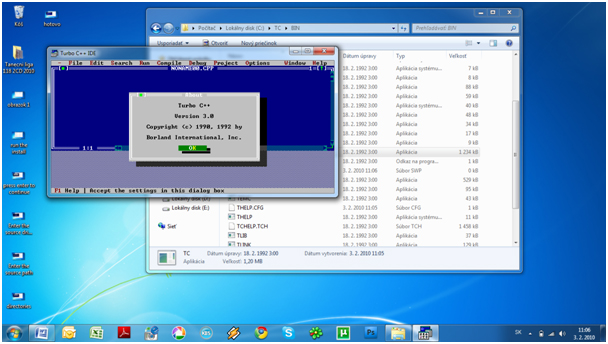
8. First launch from your destination      e.g.   C:\TC\BIN\TC.EXE
step8 How to install Turbo C++ on Windows 7
First launch from your destination

0 comments:

Post a Comment

 
Design by Free Wordpress Themes | Bloggerized by Free Blogger Templates | Web Hosting Deals